Edit your course settings
Completion requirements
Managing email settings
The email address in your profile should be an address that you check regularly. It is used for sending announcements and messages from course discussion forums that you are subscribed to.
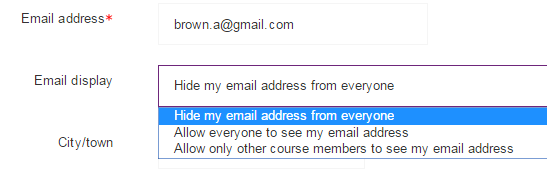
Your email address will be displayed to other users. To control the visibility of your email address you can change the settings to hide your email address, display it to everyone, or display it to only fellow course participants.
- Navigate to the edit profile page
- From Email display drop-down menu, choose one of the following:
- Allow everyone to see my email address
- Allow only other course members to see my email (this is the default)
- Hide my email from everyone (instructors will still see it)
- Click the Update profile button at the very bottom of the page to save your settings
Please note: Hide my email address from everyone only hides it from other participants. Course tutors and Cambridge staff will always be able to see your email address.