Section outline

    • Spinner

      Spinner

      Add names or activities to appear on a spinning selection wheel.

      Explore
      Names from a hat

      Names from a hat

      Add names, choose your hat, watch as a name gets selected.

      Explore
      Drag and drop

      Drag and drop

      Upload an image, add labels, create an immediate drag and drop activity.

      Explore
      Diamond 9s

      Diamond 9s

      Evaluate and prioritise nine ideas, opinions or pieces of information.

      Explore
      Flip cards

      Flip cards

      Quick review - definitions, questions for whole class review.

      Explore
      Swipe

      Swipe

      Justify your choice to swipe left or right.

      Explore
      Question Spinner

      Question spinner

      Randomly select a topic for a question

      Explore
      Prioritise

      Prioritise

      Drag and organise items to arrange in order of priority.

      Explore
      Activity generator

      Activity generator

      Create your own collection of activities and press to watch one being selected.

      Explore
      Timer

      Timer

      Choose timing options to display countdowns for class activities.

      Explore
      Starter selector

      Starter selector

      Quick selector - press to select a starter from your own or the prepared list.

      Explore
      Name selector

      Name selector

      Add names, press the screen, and one name gets randomly selected.

      Explore
      Submit and compare

      Submit and compare

      Add your response and compare it to a prepared suggestion.

      Explore
      Group maker

      Group maker

      Enter names, automatically sort into groups.

      Explore
      Where in the world?

      Where in the world?

      Enter a place for your class to locate

      Explore
      Match-up

      Match-up

      Match up statements in a mini quiz

      Explore
      Image compare

      Image compare

      Compare and contrast two different images

      Explore
      Image reveal

      Image reveal

      Identify an image that gets gradually revealed

      Explore
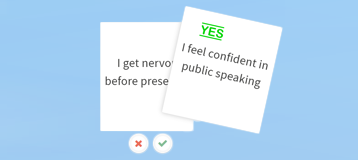
      True or false

      True or false

      Is the statement true or false?

      Explore
      Drag and match

      Drag and match

      Drag answers into a question

      Explore
      Slide to answer

      Slide to answer

      Slide the screen to reveal the answer

      Explore
      Spotlight

      Spotlight

      Shine a light on an image

      Explore
      Scratch away!

      Scratch away!

      Reveal the resource

      Explore
      Magnetic words

      Magnetic words

      Move text around to create phrases

      Explore
      Shape generator

      Shape generator

      Generate and manipulate any shape

      Explore
      Quick quiz

      Quick quiz

      For quick questions & answers

      Explore
      Timeliner

      Timeliner

      Display and move timeline items

      Explore
      Coming soon

      Think-Pair-Share

      Customisable template with activities

      Explore
      Coming soon

      Activity dice

      Choice of six random items

      Explore
      Coming soon

      Higher or lower?

      A probability challenge

      Explore


    • Release Notes
    • February 4, 2026
      We are delighted to see how popular Teaching Tools have been and love gathering feedback on a daily basis. Teaching Tools have been used over 500,000 times by Cambridge teachers. Further updates are coming soon - so do keep sharing your feedback.

      February 2, 2024

      Thanks to all the excellent and positive feedback we've introduced a range of improvements across the tools. These include much greater consistency with reset and improved navigation features. Each tool keeps its original approach, but we're adding even more functionality. Explore the timer, edit, import and export icons!

      Updates to: Timeliner, Activity dice, Higher or lower?, Think Pair Share, Matchup
      All image-based tools: improvements for full-screen resizing
      All tools: Improved load/save features - data import and export using the icons

      November 24, 2023
      With over 100,000 teachers using these tools since launch, we're delighted with how teachers around the world are using them. We're collecting and using all your feedback to develop further tools and additional improvements.

      Release of: Higher or lower?
      Updates to: TimelinerThink-Pair-Share and Activity Dice
      All tools: Updated branding to include the new Cambridge logo

      July 10, 2023
      Major feature update to all tools - data import and export. You can have class lists ready for Names from the Hat, or questions ready for the Question Spinner and much more. Every tool where you can edit and add your own content now includes the feature.

      May 31, 2023
      Release of Activity Dice
      Official launch of Teaching Tools with 30 tools all linked from the School Support Hub for Cambridge teachers

      May 30, 2023
      Release of Timeliner and Think-Pair-Share

      May 22, 2023
      Release of Shape Generator, Magnetic words, Scratch away, and Quick quiz
      All tools: Usability and accessibility improvements

      May 15, 2023
      Mini timer added to every tool - quick countdown feature

      April 14, 2023
      Release of True or false?Drag and matchSlide to answer, and Spotlight
      Updates to the presentation of tools - now dynamically adapting to your screen

      March 15, 2023
      Release of Where in the world?, Match-up, Image compare, and Image reveal
      Updates to Question Spinner to include differentiated shapes - feedback request

      March 7, 2023
      Release of Submit & Compare and Group Maker

      February 6, 2023

      Release of Flip cards, Swipe, Timer, and Question spinner

      January 12, 2023

      All tools: Improved copy & paste of names and text - feedback request to allow paste directly from Excel

      January 4, 2023
      Release of Spinner, Diamond 9s, and Prioritise

      December 8th, 2022
      All tools: Suggested uses, examples, with further research and opportunities available - in tool, pop-up support
      Release of Hexagons

      December 1st, 2022

      Release of Name selector, Names from a Hat, Drag and Drop, Activity generator, and Starter Selector
       

    • Feedback

    • Following Cambridge teacher requests and feedback we have created a range of these tools. If you find these useful, share your feedback and ideas improve them further. We are actively developing these tools and aiming to respond to every request sent in by teachers.